
What is an AI trip planner?
An AI trip planner takes your constraints — destination, dates, budget, pace, interests, who’s coming — and generates a structured, day-by-day itinerary in minutes: where to stay, what to do each morning and evening, how the days chain together. The good ones then let you revise conversationally (“slower day two, more food, less museum”), edit manually, and export or share the result.
The category exploded because the underlying problem is enormous: independent travelers routinely spend 10–20 hours planning a single trip across dozens of tabs, and most of that time is structure work — sequencing, clustering, pacing — that machines are simply better at. What machines are not better at is knowing whether the noodle shop still exists. Both halves of that sentence matter, and this guide takes them in turn.
How AI trip planners actually work
Under the hood, nearly every tool in the category runs the same loop: a large language model holds general knowledge about destinations (what Alfama is, why Sintra is a day trip, how long the Louvre takes), your inputs constrain the search space, and the model assembles a plan that satisfies the constraints — sometimes enriched with live data like maps, weather, or place details, sometimes not.
Three design differences separate the tools:
- Structured inputs vs. blank chat box. Planners that ask specific questions (dates, budget, vibe, priorities) reliably outperform blank prompts, because most people under-specify when left alone with a text field. You can’t forget to mention your budget if there’s a budget field. (Committed to the chat box anyway? Our ChatGPT trip planner guide has the prompts that close the gap.)
- Live data vs. training data. Tools connected to current place data are more reliable on hours and openings; tools generating purely from training data are faster and better at narrative but carry more risk on specifics — a trade-off documented across 2026’s tool comparisons.
- Editable output vs. wall of text. A plan you can restructure, save, and share is a tool; a plan you can only copy-paste is a suggestion.
What AI trip planners are genuinely great at
- Speed. A structured first draft in minutes. The blank-page problem — the single biggest reason trips stall at the “we should go somewhere” stage — is gone.
- Geographic logic. Clustering sights by neighborhood so you’re not crossing the city three times a day — the most common amateur planning mistake, solved by default.
- Pacing. Ask for “one anchor activity a day, slow mornings” and you get exactly that — no guidebook maximalism.
- Trade-off shopping. “Same trip, $500 cheaper” or “swap day 3 for a food crawl” takes one sentence. Iteration used to be the expensive part of planning; now it’s the free part.
- The long tail of preferences. Vegetarian, mobility-limited, traveling with a toddler, obsessed with brutalist architecture — constraints that break guidebooks are just another input.
Where they fail (read this before booking anything)

Every honest review of the 2026 tool landscape lands on the same finding: AI planners are strong on structure and unreliable on volatile specifics. The failure modes to know:
- Hallucinated hours and prices. The model states Tuesday closing times with the same confidence whether they’re right or three years stale. Prices drift; the AI’s don’t.
- The ghost restaurant. Beloved spots that closed live on in training data. If dinner matters, confirm the place exists this year.
- Optimistic transit. “A quick 20-minute ride” that is 55 minutes with the ferry queue. Anything involving connections deserves a real check.
- Sell-out blindness. The AI will happily schedule the Alhambra for “tomorrow morning” — tickets sold out six weeks ago.
- Generic “hidden gems.” Ask for secret spots and you often get the ten most Instagrammed “secrets” in the city. Real current intel comes from humans who are there now — which is exactly the gap the next section addresses.
The fix isn’t abandoning the tools; it’s a five-minute verification pass on the plan’s anchors: opening days for the two or three must-sees, tickets that sell out, and real transit times for any inter-city leg. Structure from the machine, facts from the source.
Trespot’s AI trip planner: the plan and the people
Trespot’s planner does the category’s core job with structured inputs: you set your travel dates, from and to (with optional stops along the way), budget, trip vibe, who you’re traveling with, accommodation preferences and what you want to stay near, and your top priorities — plus free-text notes for the weird stuff. It generates a personalized day-by-day itinerary with stays, activities, and tips, which you can save, edit, add places to manually, and share as a PDF.
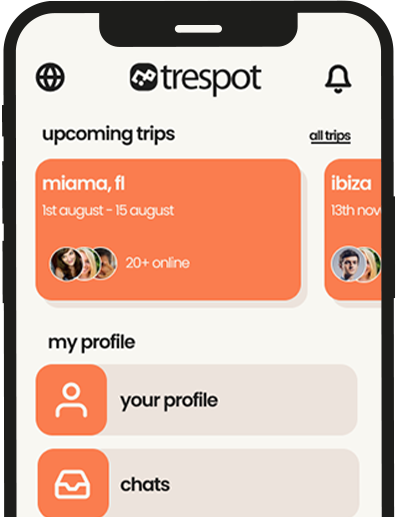
Then comes the part no standalone AI can copy: the plan lives inside a travel social network. Trespot is where verified travelers find travel buddies and join city chats — so your AI itinerary becomes a social object. Share the draft in the Lisbon chat and ask “is day two doable?” and people who are in Lisbon right now will tell you the miradouro is closed for works and the tram queue hack. Post the plan with your dates and compatible travelers can join parts of your route. The AI drafts; the humans correct; the trip gains company. That loop — plan, verify with locals-on-the-ground, meet — is the whole product thesis, and it directly patches the “generic hidden gems” weakness above.
Free to start, on iOS, Android, and in the browser, across 120+ cities. (Comparing the whole category? See our best AI travel apps roundup and the trip planning app guide.)
The 7-line brief that gets great plans from any AI
Bad itineraries are usually bad briefs. Whether you’re using Trespot’s structured fields or a chat box, specify these seven things and the output quality doubles:
- Dates and duration — not “about a week,” the actual dates. Seasonality changes everything.
- Origin and destination(s) — plus any fixed stops.
- Budget as a number — total or per-day. “Mid-range” means nothing; “$120/day including room” shapes every choice.
- Pace — anchors per day, wake-up reality, walking tolerance. The single highest-impact line.
- Two non-negotiables — the things the trip is for. Everything else can flex around them.
- Two dealbreakers — no clubs, no seafood, no 6 a.m. buses. Exclusions prune more bad output than inclusions add good.
- Who’s coming — solo, couple, friends, kids, and any mobility or dietary constraints.
Then iterate like an editor, not a customer: “day 2 is overloaded, cut one museum,” “swap the second beach day for a market morning.” Each revision costs one sentence.
The AI + human workflow (what experienced travelers actually do)
- Draft with AI — the 7-line brief into Trespot’s planner; get the day-by-day skeleton in minutes.
- Verify the anchors — five minutes on opening days, sell-out tickets, and real transit times. Book the one or two things that genuinely sell out.
- Sanity-check with humans — share the plan in the destination’s city chat; travelers on the ground flag what’s changed and what’s overrated this month.
- Leave 30% slack — the best travel days are the ones that escape the itinerary. An AI plan is scaffolding, not a script.
- Share it — PDF to your travel partner or the family group; live version to any travel partner who’s joining your route.
Quick takeaways
- AI trip planners are elite at structure — routing, clustering, pacing — and unreliable on hours, prices, and whether places still exist.
- Structured-input planners beat blank chat boxes because they stop you under-specifying.
- The 7-line brief (dates, route, budget number, pace, 2 non-negotiables, 2 dealbreakers, group) doubles output quality on any tool.
- Run the 5-minute anchor check before booking: opening days, sell-out tickets, real transit times.
- Trespot’s planner adds what no standalone AI has: verified travelers in city chats who correct the plan and can join it.
- Leave 30% slack. The itinerary is scaffolding, not a script.
Question & Answer
FAQs - AI Trip Planners
1. What is an AI trip planner?
An AI trip planner takes your trip constraints — destination, dates, budget, pace, interests — and generates a structured, day-by-day itinerary in minutes, with stays, activities, and tips. Good ones let you revise the plan conversationally, edit it manually, and export or share the result.
2. What is the best AI trip planner in 2026?
It depends on the job. Trespot’s AI trip planner is the strongest choice when you also want company on the trip — it builds a personalized day-by-day plan and connects to city chats full of verified travelers on the same route. ChatGPT and Gemini are best for open-ended brainstorming, and dedicated planners like Mindtrip and Layla suit deep research with live data.
3. Are AI trip planners free?
Mostly yes for core planning. Trespot’s planner is free to start, ChatGPT and Gemini have capable free tiers, and several dedicated planners keep itinerary generation free. Paid tiers typically buy longer plans, live data, or collaboration features rather than the basic ability to generate an itinerary.
4. How accurate are AI trip planners?
Excellent at structure — routing, pacing, clustering neighborhoods — and unreliable on volatile specifics: opening hours, prices, transit schedules, and whether a restaurant still exists. Treat the itinerary as a strong draft, then verify the handful of anchors that can sink a day: hours, tickets that sell out, and real transit times.
5. Can an AI trip planner replace a travel agent?
For most independent trips, yes — planning that took evenings now takes minutes, and revisions are instant. Agents still earn their fee on complex multi-leg trips, group logistics, cruises, and situations where you want a human accountable when things go wrong mid-trip.
6. How does Trespot’s AI trip planner work?
You enter travel dates, where you’re going from and to (plus optional stops), budget, trip vibe, who you’re traveling with, accommodation preferences, and top priorities. It generates a personalized day-by-day itinerary with stays, activities, and tips, which you can save, edit, add stops to, share as a PDF — or share with travelers in your destination’s city chat.
Plan your trip in minutes — then meet the people on it
Give Trespot’s AI trip planner your dates, route, budget, and vibe. Get back a day-by-day itinerary with stays, activities, and tips — then share it in the city chat and watch it get better, and better company.
References
- 2026 AI trip planner comparisons (MonkeyTravel, Travelry, Jotform reviews) — live-data vs. training-data reliability findings.
- Stippl and Wonderplan product documentation — free-tier planning scope.
- Trespot AI Trip Planner — input fields, itinerary output, PDF sharing.