
The short answer
ChatGPT is an excellent trip drafter and a mediocre trip manager. Used with a structured brief, it produces destination shortlists and day-by-day skeletons in seconds — it’s the most widely used AI for travel brainstorming for a reason. But it can’t hold a saved editable itinerary, show a map, export a PDF, quote current prices, or connect you to another human being. The professional move: draft in ChatGPT, finish in a travel-native planner like Trespot’s, and verify the volatile facts on the way through.
The master prompt (copy-paste and fill in)
One-line prompts get travel-brochure mush. This template — the same 7-element brief that works in every AI planner — roughly doubles output quality:
That last sentence — flag anything that requires advance booking — is the highest-value line in the prompt. It makes the model surface the sell-out traps (timed-entry palaces, popular tours) that otherwise ambush you at the destination.
Five more prompts that earn their keep
- The shortlist: “Give me 5 destinations that are [warm] in [March], under [6] hours from [London], with daily costs under [$100], ranked by [food scene]. One sentence on why, one on the catch.” The “one on the catch” clause forces honesty.
- The budget rework: “Same itinerary, $400 cheaper total. Show me exactly what changed and what I lose.” Trade-offs made visible.
- The taste transplant: “Here’s a day I loved in [Mexico City: markets, one gallery, long street-food lunch, mezcal bar]. Design days with the same energy in [Osaka].” Far better than asking for “hidden gems.”
- The rainy-day fork: “For each day, give me a one-line bad-weather alternative that stays in the same neighborhood.” Costs nothing now, saves a vacation morning later.
- The sanity check: “Critique this itinerary like a local guide: what’s overstuffed, what’s mis-sequenced, what would you cut?” The model is genuinely better at critiquing plans than at not overstuffing them in the first place.
Iterating like an editor

The first draft is never the plan; it’s the negotiation opener. Treat revisions as one-sentence edits — “day 2 is overloaded, drop one museum,” “swap the beach day for a market morning,” “make dinner cheaper, lunch fancier” — and re-run until the plan passes the five-property check from our itinerary anatomy guide: clustered neighborhoods, 2–3 anchors, meal fixed points, believable transit, real slack. Ten minutes of editing beats an hour of new prompts.
The five walls you’ll hit
None of these are complaints; they’re the boundaries of the tool’s design. Know them and nothing surprises you:
- Stale specifics, stated confidently. Opening hours, prices, and even a restaurant’s continued existence can be years old. Every anchor needs a source-of-truth check before money moves.
- No living itinerary. The plan is a wall of chat text. Change your dates and you’re re-prompting, scrolling, and copy-pasting into notes apps — the workflow travel-native planners exist to kill.
- No maps, no geography engine. The model reasons about distance from memory. It’s usually right about neighborhoods and regularly wrong about minutes.
- No export, no sharing that survives. Screenshots to the group chat is not a system. You want a saved plan, a PDF, a link.
- No people. The wall that matters most and gets mentioned least: ChatGPT cannot tell you what the line at Pena Palace looks like this morning, and it definitely can’t join you for dinner. Travel intelligence is half facts, half humans-on-the-ground — a chatbot only ever has the first half, and only sometimes.
The upgrade path: chatbot → travel-native
Here’s the workflow that keeps ChatGPT’s strengths and patches all five walls:
- Brainstorm in ChatGPT — shortlist, vibe, rough shape. It’s the best fuzzy-question engine there is.
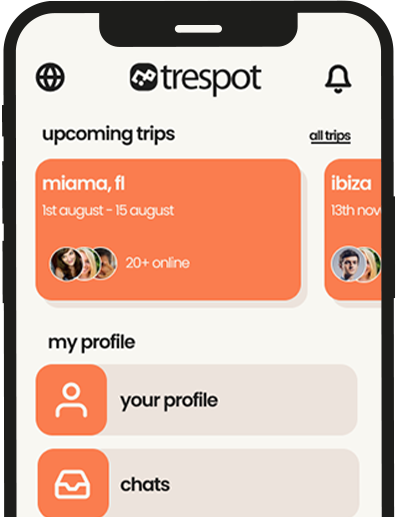
- Rebuild in Trespot’s AI trip planner — structured inputs (dates, route with stops, budget, vibe, priorities) produce a saved, editable day-by-day itinerary with stays, activities, and tips. Add your own stops manually, export the PDF for offline and forwarding.
- Verify with live sources — the anchor check: official hours, sell-out tickets, one transit leg per day.
- Fact-check with humans — share the plan into the destination’s city chat; verified travelers on the ground flag what changed this month, and some of them will be free for dinner on day two. That last step turns a plan into a trip with company — the thing no chatbot will ever ship.
ChatGPT vs. dedicated AI trip planners
| Capability | ChatGPT | Travel-native planner (Trespot) |
|---|---|---|
| Brainstorming & fuzzy questions | Best in class | Good |
| Structured inputs (dates, budget, vibe) | Only if you prompt them | Built in — can’t forget them |
| Saved, editable itinerary | No — chat text | Yes, with manual stop additions |
| PDF export / sharing | Copy-paste | One tap |
| Current hours & prices | Unreliable | Verify via community + sources |
| Other travelers on your route | Never | City chats, verified profiles |
| Cost | Free tier capable | Free to start |
The full tool landscape — including Gemini, Mindtrip, Layla, and where each fits — is in our best AI travel apps roundup.
Quick takeaways
- ChatGPT is a superb drafter: use the 7-element master prompt and the “flag advance bookings” clause.
- Iterate in one-sentence edits; ask it to critique its own itinerary — it’s better at critique than restraint.
- The five walls: stale facts, no living itinerary, no real geography, no export, no people.
- Workflow: brainstorm in ChatGPT → rebuild in a travel-native planner → verify anchors → sanity-check with travelers on the ground.
- Free tiers are enough on both sides. Spend the money on the trip.
Question & Answer
FAQs - ChatGPT Trip Planning
1. Is ChatGPT good for trip planning?
Yes, for the front half of planning: destination shortlists, rough day-by-day drafts, budget shaping, and answering fuzzy questions in seconds. It’s the most widely used AI for travel brainstorming. Its weak half is specifics — opening hours, prices, and closures can be stale — and it has no maps, saved editable itineraries, PDF export, or connection to other travelers.
2. What is the best ChatGPT prompt for trip planning?
Use a structured brief, not a one-liner. Include your dates, route, budget as a number, pace, two non-negotiables, two dealbreakers, and who’s traveling, then ask for a day-by-day itinerary with two or three anchors a day, meals as fixed points, and each day kept to one or two neighborhoods. Specific briefs roughly double output quality.
3. Can ChatGPT book flights or hotels?
No — ChatGPT plans; it doesn’t book. It also can’t reliably quote current fares. The standard workflow is draft the trip in ChatGPT or a travel-native planner, verify prices on live tools, and book through your usual platforms.
4. How accurate is ChatGPT for travel information?
Strong on structure and general knowledge, unreliable on anything volatile: hours, prices, schedules, and whether a business still exists can be years stale, delivered with full confidence. Verify the anchors of any ChatGPT itinerary against official sources before booking, and treat “hidden gem” suggestions as popular rather than secret.
5. Do I need ChatGPT Plus for travel planning?
No — the free tier handles travel drafting well. Paid tiers add newer models and more usage, which helps for very long multi-city planning sessions, but the quality jump for a typical trip brief is modest. Spend the upgrade money on the trip.
6. What are the best ChatGPT alternatives for trip planning?
Gemini adds live Google data for current prices and hours. Travel-native planners go further: Trespot’s AI trip planner takes structured inputs, produces saved, editable day-by-day itineraries with PDF export, and connects the plan to city chats of verified travelers who can sanity-check it — or join it.
Draft anywhere. Finish where the travelers are.
Bring your ChatGPT draft to Trespot: structured inputs, a saved day-by-day itinerary with stays and tips, PDF export — and a city chat full of verified travelers who’ll tell you what the chatbot can’t.
References
- 2026 AI trip planner comparisons — ChatGPT usage and reliability findings.
- OpenAI documentation — free and paid tier capabilities.
- Trespot AI Trip Planner — structured inputs, saved plans, PDF export.